HMI and interfaces that help people act correctly.
We design industrial interfaces where status, alarms, faults, flow, and next actions are understandable under pressure.
HMI should help users understand the situation quickly, not just show more buttons.
HMI design starts with the situation, not the screen.
Operators need the right information in the right order, especially when the line is stopped, an alarm is active, or a changeover has to move fast.
What is the user trying to understand?
We map operation, stop, alarm, changeover, service, and training as concrete situations with a decision, risk, and next safe action.
HMI follows the machine states
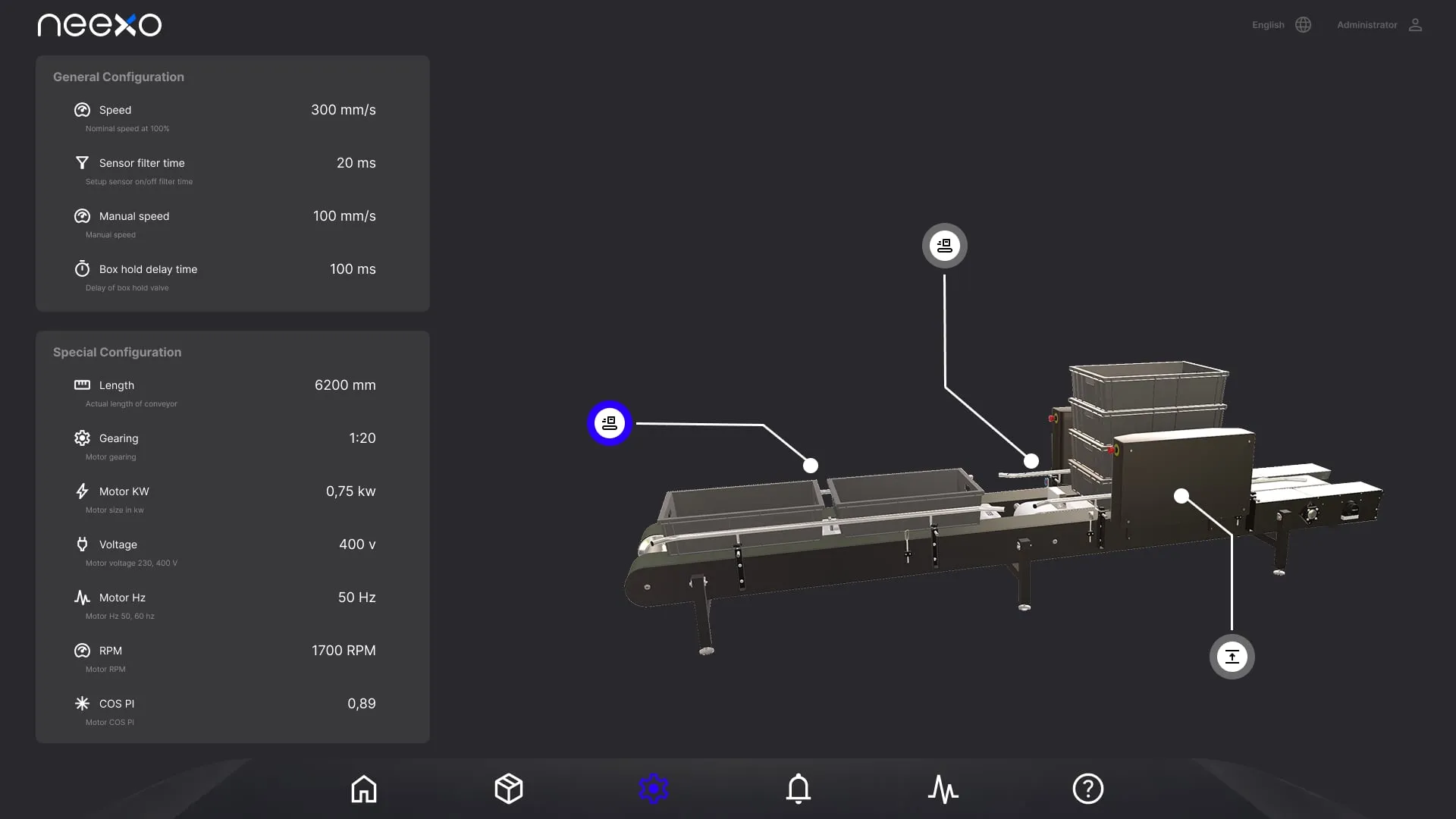
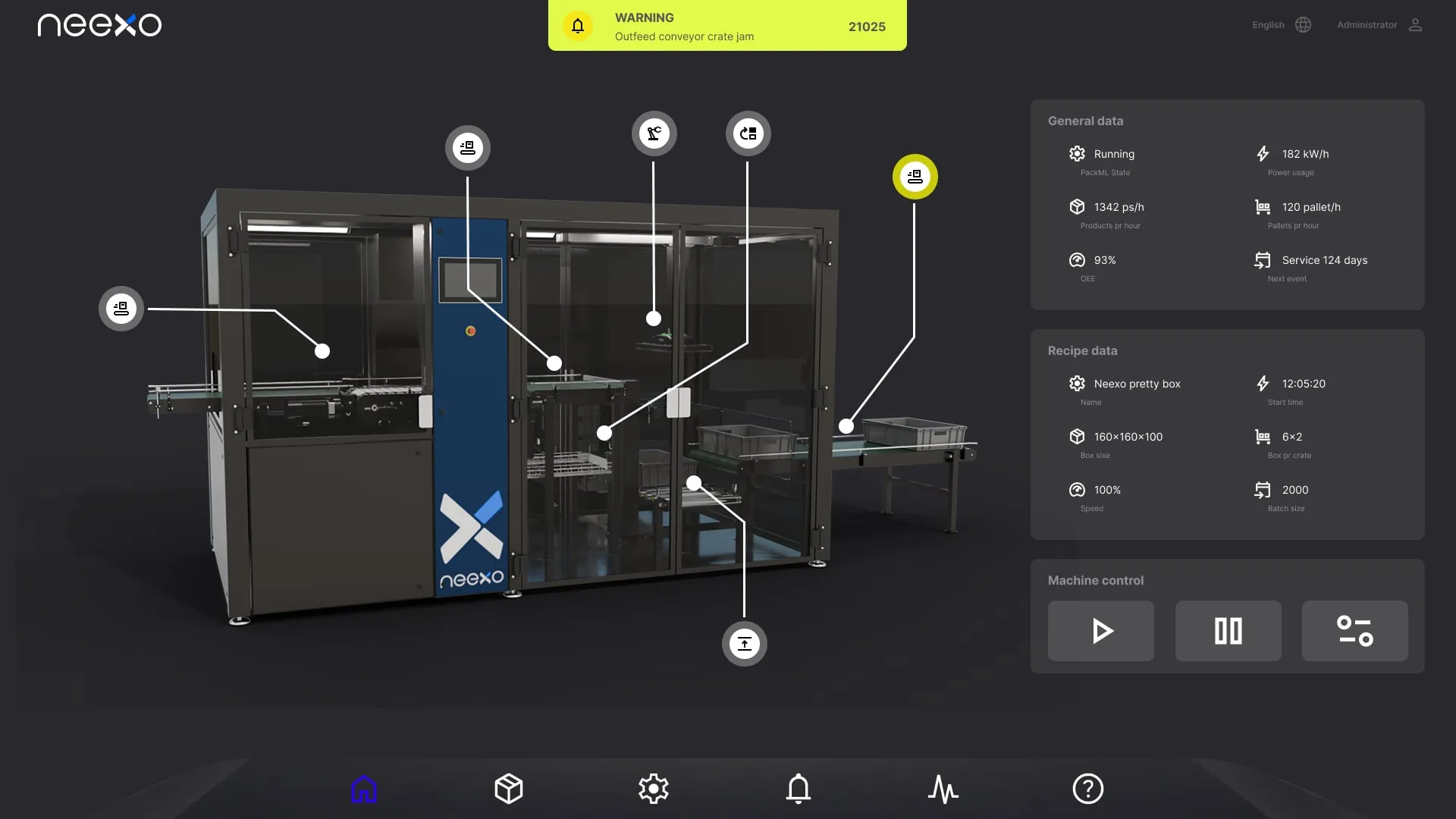
Screens, alarms, and 3D overviews are tied to the actual machine states, so the interface becomes part of the logic.
Test with operators before implementation
Flows and critical screens are tested with technicians and operators before PLC and HMI are locked.
Patterns that can be reused
Navigation, states, colors, alarms, actions, and service views are collected in a system that can grow over time.
Typical artifacts
Focus areas
Designed for operators, technicians, and service teams close to the machine.
Operator flows
Map tasks, decisions, and fault scenarios so the HMI supports real daily work.
Alarm and status
Make cause, consequence, and next action clear when something goes wrong.
3D and process overview
Use visual models when spatial understanding makes the machine easier to understand.
Design systems
Create consistent patterns for buttons, states, alarms, navigation, and service views.
Frequently asked questions
Isn't this just web design for a machine?
No. Industrial HMI design is built around machine states, alarms, safety, and the operator's situation. It's about making the right information available under pressure, not aesthetics for the sake of aesthetics.
Can you redesign an existing HMI?
Yes. We often start by mapping the situations where the current HMI creates confusion or delays, then design improvements that can be implemented incrementally.
What do we concretely get from an engagement?
Typically a combination of operator journeys, HMI prototype with test scenarios, alarm and state matrix, and a design pattern you can build on. It all depends on scope and what creates the most value for you.
Cases from this area
See how the competencies connect in practice.